
Headless CMS: map enrichment to your content
Map approved enrichment to an existing content record through your own CMS and rendering workflow.
Your team owns the mapping from a Peithos enrichment revision to an existing content record and page. Use portable code, an authorized Read API connection, or a signed delivery to retrieve that revision.
Install enrichment through your own CMS
Choose the existing content record
Resolve the exact CMS content ID and public page URL. Do not create another page for the video.
Map and render the selected revision
Your developer maps the approved code to the page template and renders it in the served HTML with the matching visible context. Developer credentials and implementation instructions stay in the signed-in workspace.
Deploy and verify
Use your own publishing workflow, then inspect the public page. Receiving a POST confirms transport, not public placement. Your endpoint owns idempotency and content mapping.
Legacy connection reference
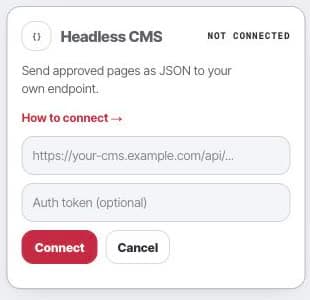
This older connection card describes the general publishing transport. It is not the setup for the existing-page installation explained above.
- Settings
- Connections
- Headless CMS
After delivery
Your own CMS and deployment workflow remain responsible for the page. Do not treat a transport receipt, draft, or saved code as a verified live installation.