
Git pull request: review enrichment code
Review delivered head code in a GitHub pull request; your team owns installation and deployment.
The Git connector provides a reviewable delivery for a site your team already owns. For exact-page Enrich, its committed file contains the head snippet. Opening a pull request does not publish or install it on your page.
Review enrichment in a Git pull request
Connect the repository
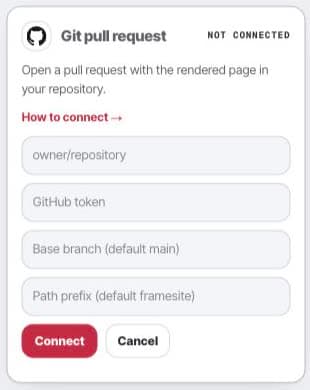
In Settings, open Connections and find Git pull request. A workspace admin supplies a repository token with contents and pull-request write permission, the owner/name repository, and the chosen base branch and path prefix.
Review the selected revision
Approve the exact enrichment revision and target. The connector opens or adopts a pull request through the deployment flow. Check how your existing page template will use the delivered snippet.
Merge, deploy, and verify
Your team reviews and merges the pull request, deploys the site, and checks the existing public page. Do not assume a file in the repository is already rendered on the page.
- Settings
- Connections
- Git pull request
After delivery
Disconnecting removes the stored connection credential. Existing pull requests remain in GitHub for your team to merge or close.